Contact
Educational systems and Media
For questions and comments about our educational systems
utb-system@slu.se.
All courses at the undergraduate and advanced level have their own course page on the web. All information on the course page is retrieved from other systems. On this page, we describe the function of the course page, which systems are integrated and what the department needs to think about.
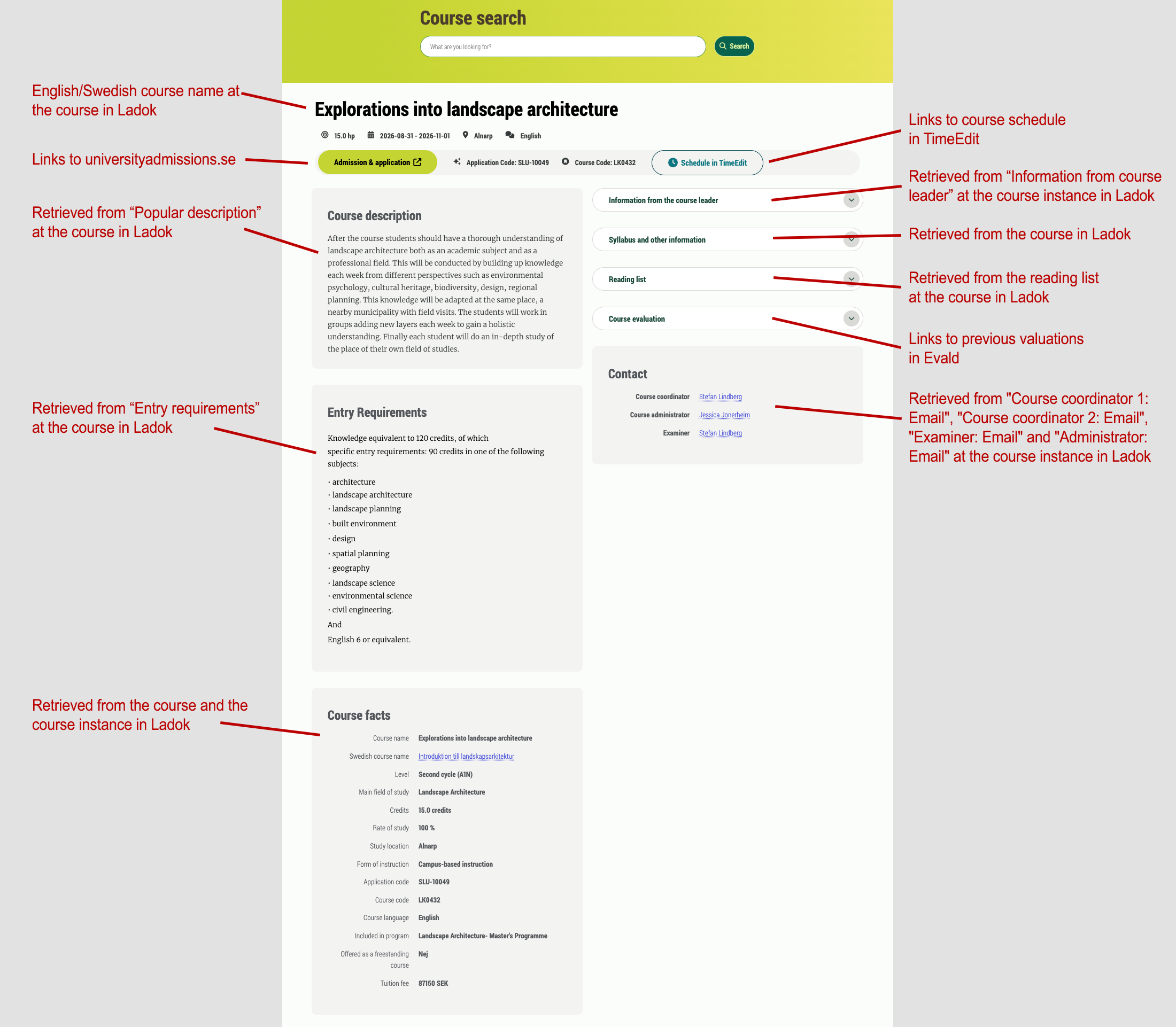
The name of the course in Ladok will be the title of the course page. The course page is always available in Swedish and English.
This button goes to universityadmissions.se, where you can search for the courses that are open for admission.
This button links to the course schedule in TimeEdit for the course instance. The view in TimeEdit shows schedule entries one year ahead in time.
Digital Course Schedules in TimeEdit
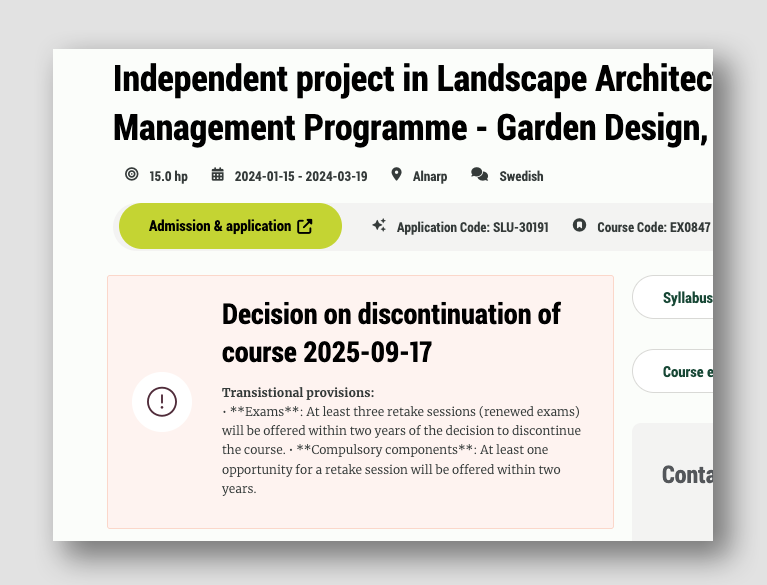
If there is a decision on discontinuation in Ladok, a message will be displayed with the date of the decision and interim regulations.
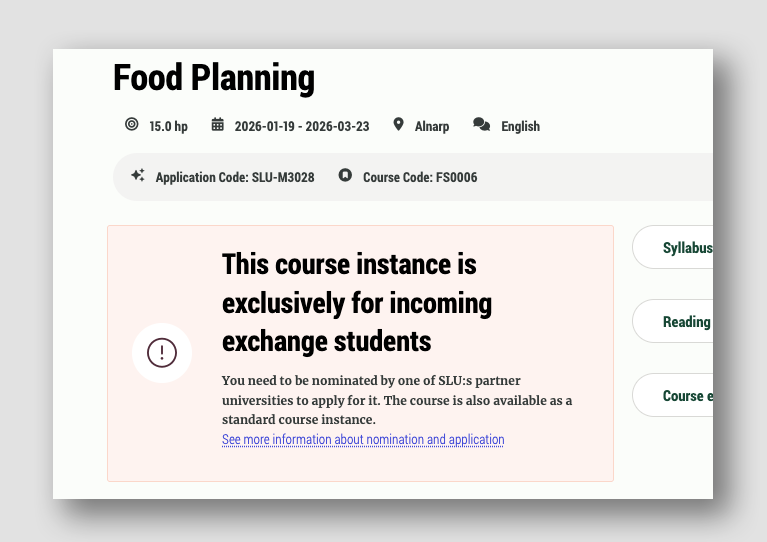
In the course search, there are course instances that are aimed at incoming exchange students. These instances are clearly marked so that they are not confused with regular instances. There is also no button for universityadmissions.se on these instances.
The course pages show a popular description of the course so that students can easily get an idea of the course content and facilitate their course choice.
The text is taken from the field popular description on the course instance in Ladok. As a course leader, you are responsible for ensuring that your courses have a popular description in Ladok.
The entry requirements are displayed in a separate area for better visibility for the visitor. They are also included in the course syllabus.
Do students need information before the course starts? In the "Information from the course leader" field at the course instance in Ladok, the course leader can write the information needed and it will be displayed on the course page. Once students have started the course and have an SLU account, Canvas should be used for communication with the students.
The course syllabus is also shown in its entirety on the course page. The syllabus is taken from Ladok.
The course reading list is entered at the course instance in Ladok and is displayed on the coursepage (after deciding on the edition in Ladok). The course reading list must be available on the course page eight weeks before the start of the course.
Completed course evaluations from previous course instances.
When students are to respond to evaluations, they go to https://evald.slu.se
This shows the email addresses of the people who are course leaders, course administrator and examiner for the course instance in Ladok.
For questions and comments about our educational systems
utb-system@slu.se.